Managing multiple Google Business Profiles—whether for your own company or as a freelancer handling client accounts—can be a headache. Between replying to reviews, keeping posts updated, and tracking performance, the process can quickly eat into your time.
But here’s some exciting news: there’s now a revived, feature-rich free tool that can transform how you manage your local SEO efforts. Originally launched years ago under the GMB (Google My Business) name, this tool was created to address the gaps in Google’s dashboard and make local SEO simpler and more affordable.
After years of inactivity due to time and staffing challenges, it’s making a comeback—stronger than ever. This time, the developers are building it publicly, integrating user suggestions, and rolling out features in phases. Let’s dive into exactly how this tool works, what it can do today, and what’s coming next.
Table of Contents
From GMB to Google Business Profile: A Quick Refresher
If you’ve been in the digital marketing space for a while, you might remember the old Google My Business (GMB) branding. Google has since rebranded it to Google Business Profile, but the purpose remains the same: it’s your business’s digital storefront on Google Search and Maps.
The new GMB tool we’re discussing is not Google’s official dashboard, but a third-party platform built to enhance your Google Business Profile management. The goal? To simplify daily tasks, give you better analytics, and make managing multiple listings more efficient.
Getting Started: Creating Your Account and Connecting Listings
Setting up is simple. When you visit the tool’s site, you can sign up either with your Google account or by using your email. If you connect through Google, you’ll be able to link your business listings directly.
Once your email is verified, you’ll land on a clean dashboard. Initially, it may look empty—but that’s because you need to connect your Google Business Profile(s).
Here’s how it works:
- Click Connect Google Business Account
- Log in to your Google account
- Grant the necessary permissions
- Choose whether to connect all your listings at once or select them individually
From there, the tool immediately begins pulling in your listing data.
The Standout Feature: AI-Powered Auto Reply to Reviews
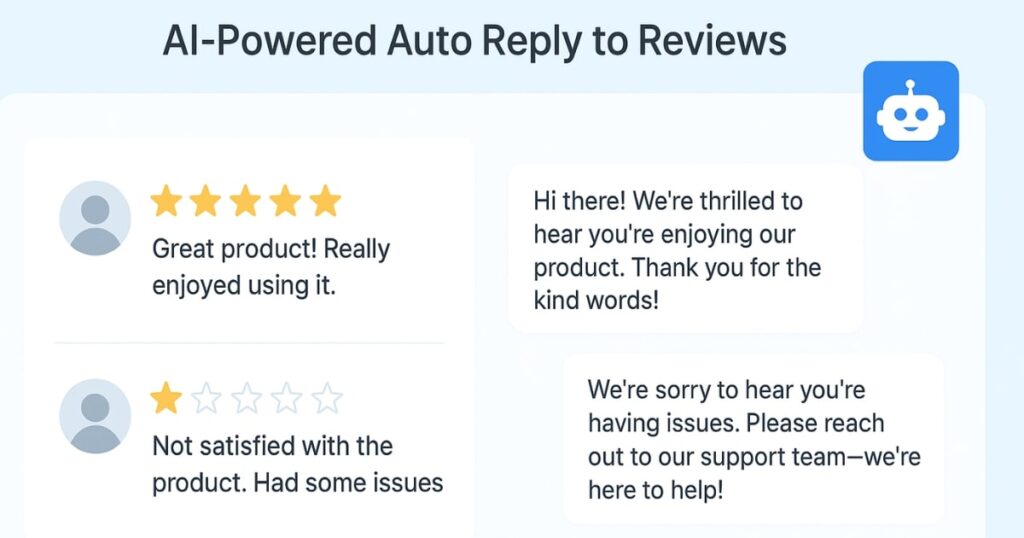
One of the most time-consuming tasks in local SEO is responding to customer reviews. Whether they’re 5-star praises or 1-star complaints, every review needs a thoughtful reply. This tool solves that problem with an AI-powered auto-reply system.
Here’s why it’s powerful:
- It detects the star rating of the review and adjusts the tone accordingly
- Positive reviews get warm, appreciative responses
- Negative reviews get empathetic and constructive replies
- All responses can be customized or edited before posting
You can reply manually or enable full automation, so every incoming review gets an immediate, professional response without you lifting a finger.
Even better? It’s not limited to future reviews. You can use the Generate and Submit Reply for All feature to go back and reply to your previous reviews—up to 10 at a time to prevent abuse. Over time, you can clear your entire backlog without drowning in manual work.
The Health Score: How Well Is Your Listing Performing?
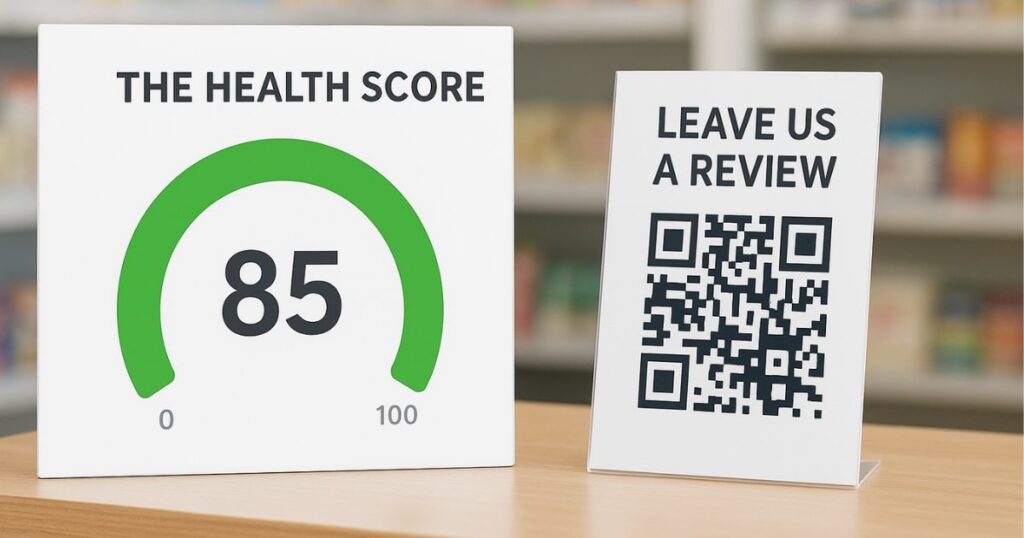
Beyond replying to reviews, the tool gives you an overall health score for each connected listing.
This score, on a scale of 0–100, reflects factors like completeness, engagement, and SEO readiness. A high score (green zone) means your listing is healthy and likely to rank well. A low score signals vulnerabilities—like incomplete information or low engagement—that can reduce your visibility or even increase the risk of your listing being hijacked.
If your score isn’t in the green, the tool encourages you to audit your listing and make necessary updates. Over time, improving your health score can have a direct impact on your Google ranking.
Making Reviews Easy to Collect: Direct Links and QR Codes
Customer reviews are a local SEO goldmine. They improve trust, boost rankings, and attract more clicks. But asking for reviews can be awkward—unless you make it effortless for customers.
The tool offers two ways to simplify the process:
- Review Link – A direct URL to your review form that you can copy and share.
- QR Code – Perfect for physical stores. Place it at your checkout counter, on receipts, or in printed materials. Customers scan it and land directly on your review form.
By reducing friction, you dramatically increase the number of reviews you receive—fueling your SEO growth.
Scheduling Google Business Posts in Advance
Posting updates on your Google Business Profile is essential for engagement and visibility. The challenge? Doing it consistently.
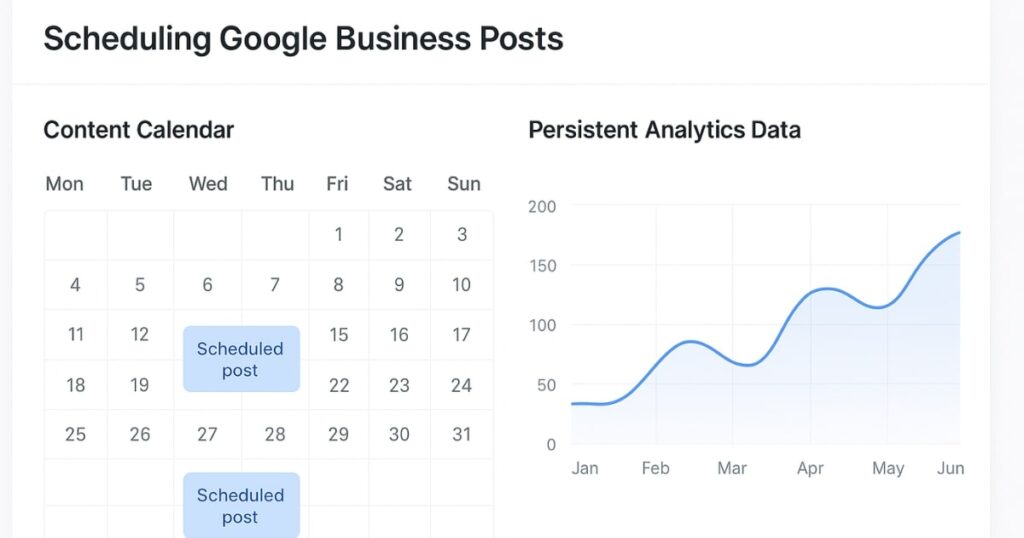
With this tool, you can schedule posts ahead of time. The process is straightforward:
- Select the business listing
- Write your post text
- Upload an image or graphic
- Choose a post type: Standard, Event, or Offer
- Publish immediately or schedule for a future date and time
You can even view all scheduled posts in a Post List, where you can edit or delete them as needed. This means you can batch-create content for the month and let the tool handle the publishing.
Upcoming Feature: Persistent Analytics Data
One of Google’s limitations is that it only stores your performance data for six months. That’s not nearly enough for serious SEO analysis.
This tool is addressing that by permanently storing your analytics data from the moment you connect your listing. You’ll be able to:
- Track long-term performance trends
- Export data to CSV for offline analysis
- Make data-driven decisions with historical insights
This feature is expected to go live within a week of the current release.
Pricing: The Credit System Explained
Here’s the best part—connecting your listings is free. You can view all your data, generate review links, and download QR codes without paying a cent.
The only time you use credits is when you:
- Send automated review replies
- Schedule posts
Every free account starts with 300 credits per month. That’s enough for 300 automated replies or scheduled posts, or any combination of the two. For most small businesses and freelancers, that’s more than enough to get started.
Settings and Account Management
In the settings panel, you can:
- Manage or remove connected Google accounts
- Disconnect specific listings
- Adjust notification preferences for email and calls
If you want to stop managing a particular business, you can delete it from the tool without affecting your Google account itself.
What’s Coming Next
While the current version focuses on review management and post scheduling, the development team has big plans:
- Analytics dashboard with long-term data storage
- Rank tracking to monitor your Google Business Profile’s position in local search results
- Additional SEO tools based on user feedback
Since they’re building in public, your suggestions can directly shape the future of this platform.
Why This Matters for Local SEO
Local SEO isn’t just about getting your business on Google—it’s about staying competitive. In crowded markets, the businesses that respond fastest, update most often, and monitor performance consistently are the ones that win.
This tool eliminates the repetitive, time-consuming parts of the process so you can focus on running your business (or managing more client accounts) without compromising on quality.
For freelancers and agencies, it’s also a potential revenue booster. By automating repetitive tasks, you can take on more clients without increasing your workload proportionally.
FAQs
1. What is the main benefit of using this GMB tool over Google’s dashboard?
It offers automation, long-term data storage, and extra features like QR code review links that Google’s dashboard doesn’t provide.
2. Can I manage multiple Google Business Profiles with it?
Yes, you can connect and manage multiple listings from one dashboard.
3. How does the AI auto-reply system work?
It analyzes each review’s tone and star rating to generate a relevant, professional response automatically.
4. Are there any charges for connecting my listings?
No, connecting is free. You only use credits when scheduling posts or sending automated replies.
5. Can I reply to old reviews using this tool?
Yes, you can reply to past reviews—up to 10 at a time—to clear your backlog.
6. Will I lose my analytics data like I do in Google’s dashboard?
No, this tool stores your analytics data permanently from the time you connect your listing.