When it comes to technical SEO, many website owners and even marketers overlook one of the most powerful yet underused tools — HTTP Headers. These small but mighty instructions not only help browsers and servers talk to each other but can also significantly improve website speed, crawl efficiency, and indexing control.
In this guide, we’ll break down what HTTP headers are, how they work, why they matter for SEO, and — most importantly — how you can implement them without being a coding expert.
By the end of this article, you’ll know how to use HTTP headers to:
- Control what search engines index (and what they don’t)
- Optimize images, PDFs, and videos for SEO
- Speed up your site’s performance
- Improve crawl budget usage
- Serve tags like canonical and hreflang even on non-HTML pages
Let’s dive in.
What Are HTTP Headers?
When you type a website URL into your browser and press Enter, your browser sends a request to that website’s server. Before sending you the actual page files (HTML, images, CSS, scripts), the server responds with headers — pieces of information that tell your browser what to expect.
Think of it like a conversation:
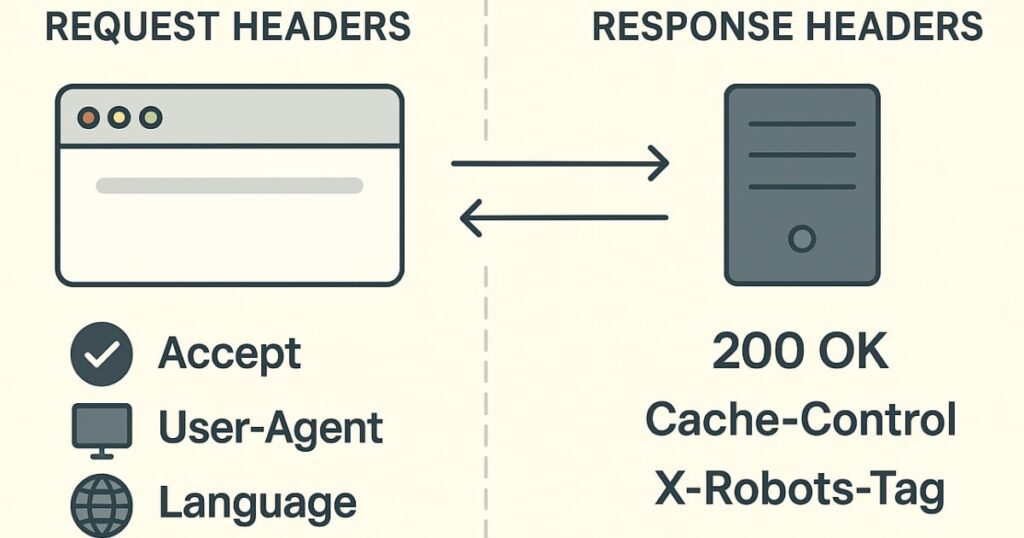
- Request headers: Information your browser sends to the server (e.g., what file formats it can accept, your browser type, language preferences).
- Response headers: Information the server sends back to your browser (e.g., the file size, encoding method, status code, cache instructions).
Every time you visit a webpage, there are multiple headers exchanged. That’s why we call them HTTP headers (plural).
How to View HTTP Headers in Your Browser
Before using HTTP headers for SEO, it’s useful to see them in action. Here’s a quick way to check them:
- Open Developer Tools:
- On Mac: Press
Command + Option + I - On Windows: Press
F12
- On Mac: Press
- Go to the Network tab. If it’s hidden, click the small arrow to find it in the list.
- Enter a website address (e.g.,
ndtv.com) in the browser’s address bar and press Enter. - Wait for the page to load. In the list that appears, click the first entry at the top.
- On the right side, you’ll see tabs like General, Response Headers, and Request Headers.
From here, you can explore exactly what data is exchanged between the browser and server.
Why HTTP Headers Matter for SEO
Most people think SEO is all about keywords, backlinks, and content. But in technical SEO, headers can make or break your site’s performance in search engines. Here’s why:
- Faster loading: Headers can tell the browser to use compression, reducing page size.
- Indexing control: You can block certain files or pages from appearing in search results.
- Better crawl efficiency: Search engines won’t waste resources crawling pages you don’t want indexed.
- Serving meta tags without editing HTML: Perfect for files like PDFs or images that don’t have
<head>sections.
Understanding Request vs Response Headers
Before diving into SEO tactics, let’s clearly understand the difference.
- Request headers are like a shopping list your browser sends to the store (server). They include:
- What file types it accepts (
Accept) - Supported compression methods (
Accept-Encoding) - Preferred languages (
Accept-Language) - Browser and device info (
User-Agent)
- What file types it accepts (
- Response headers are the store’s receipt — confirming what’s sent, how it’s packaged, and whether there are any special instructions. They include:
- Status codes (200 OK, 301 redirect, 404 not found)
- Content type and length
- Cache instructions
- Canonical or noindex rules if implemented in headers
Advanced Headers You Should Know
One powerful example is the Vary header.
The Vary Header
The Vary header tells browsers and search engines that the content of a URL can change depending on certain conditions — such as the user’s device, location, or browser type.
Example: If your site serves different content to mobile and desktop users without server-side rendering for everyone, you can use:
makefileCopyEditVary: User-Agent
This signals to Google that it should treat mobile and desktop versions as variations of the same page.
Using HTTP Headers for SEO Control
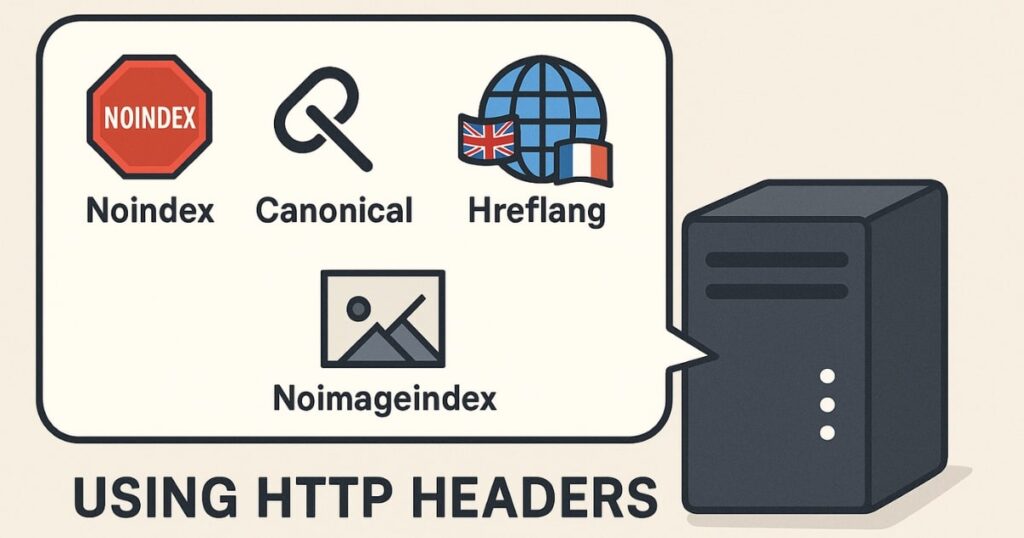
You can do far more with headers than most people realize:
- Noindex a page (without touching HTML):makefileCopyEdit
X-Robots-Tag: noindex - Block images from being indexed:makefileCopyEdit
X-Robots-Tag: noimageindex - Prevent search engines from showing snippets:makefileCopyEdit
X-Robots-Tag: nosnippet - Set canonical URLs via headers (useful for non-HTML files):bashCopyEdit
Link: <https://example.com/canonical-url>; rel="canonical" - Serve hreflang for language targeting:bashCopyEdit
Link: <https://example.com/fr/page>; rel="alternate"; hreflang="fr"
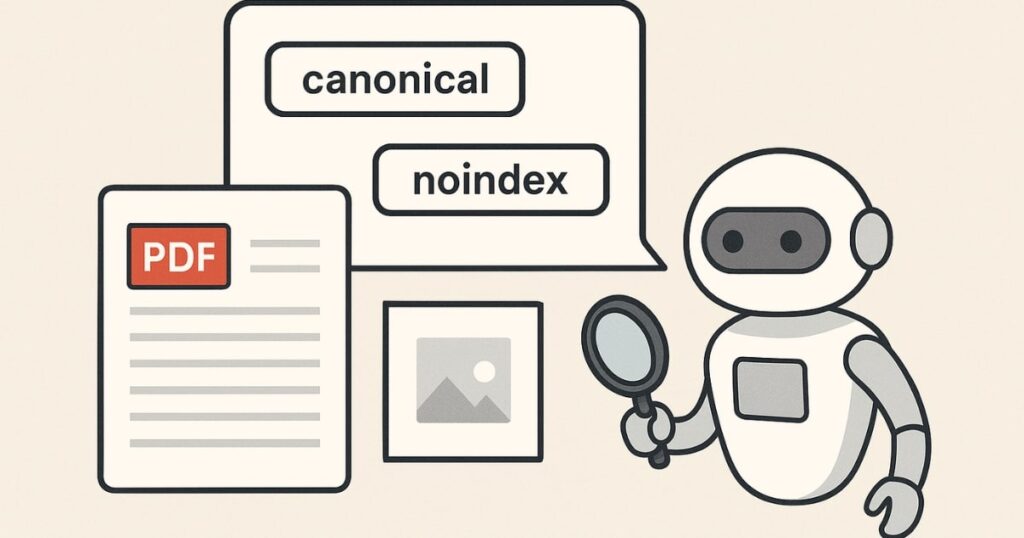
These are especially valuable when dealing with PDFs, images, or other file types that don’t have a head section in which to place meta tags.
Real-World Scenarios Where Headers Are Game-Changers
1. When You Can’t Edit the HTML Head
Some websites have old or complex infrastructure where editing the HTML <head> is difficult or slow due to approval processes. Headers let you make SEO changes without touching the actual page code.
2. SEO for Non-HTML Files
PDFs, images, DOCX files — none of these have HTML <head> sections. But with headers, you can set canonical tags, noindex instructions, or hreflang attributes for them. This is sometimes called PDF SEO.
3. Improving Crawl Budget
If a noindex tag is in the HTML, Google still downloads the full page before deciding not to index it. With headers, Google knows right away and saves crawling resources — improving efficiency for large sites.
4. Boosting Page Speed
Serving metadata in headers instead of HTML can slightly reduce page size, which can make a difference in speed scores, especially for highly optimized sites.
How to Implement HTTP Headers Without Coding Skills
The good news? You don’t need to be a developer to use headers effectively.
Method 1: Using the .htaccess File (Apache Servers)
If your website is hosted on an Apache server, you can add rules to your .htaccess file.
Example: To noindex a specific URL:
pgsqlCopyEdit<Files "page-to-noindex.html">
Header set X-Robots-Tag "noindex, nofollow"
</Files>
Method 2: Using Server Config Files
On other server types (like Nginx), you’ll use the main configuration file instead of .htaccess. The concept is the same — you define headers for specific files or paths.
Method 3: Using Tools Like ChatGPT
Yes, you can ask ChatGPT to generate the exact .htaccess code you need. Just describe:
- The URL or file
- The rule you want (noindex, noimageindex, canonical, etc.)
Then copy-paste the code into your server’s config file. Always back up your original file before making changes.
Best Practices When Using HTTP Headers for SEO
- Test changes first: Use a staging environment if possible.
- Back up your config files: Mistakes can bring your site down.
- Use the right syntax: Even one missing character can break the rule.
- Check with Google Search Console: Use the URL Inspection tool to confirm headers are being served correctly.
- Avoid conflicting signals: Don’t say “index” in HTML and “noindex” in headers for the same page.
Conclusion: Why You Should Start Using HTTP Headers Today
HTTP headers are one of those hidden gems of technical SEO. They give you speed, control, and flexibility — all without changing your website’s visible content.
Whether you need to optimize PDFs, save crawl budget, or quickly apply SEO rules without waiting for a developer, headers are your friend.
If you haven’t explored them yet, start small. Add a noindex to an old page, set a canonical for a PDF, or experiment with the Vary header. Soon, you’ll see why experienced SEOs love this technique.
FAQs
1. Can I add canonical tags through HTTP headers?
Yes. Use the Link header with rel="canonical" to point search engines to the preferred version of a page or file.
2. Do HTTP headers affect page speed?
Yes, indirectly. By reducing HTML size or serving compression info correctly, headers can improve load times.
3. Are HTTP headers better than HTML meta tags for SEO?
Neither is strictly better — but headers work where meta tags can’t, such as in non-HTML files.
4. How can I test my HTTP headers?
Use browser developer tools, curl commands, or online header checkers like web-sniffer.net.
5. Can I set noindex for images through headers?
Yes. Use X-Robots-Tag: noimageindex in the response headers.
6. Do all servers support .htaccess for headers?
No. .htaccess works on Apache servers. For Nginx, IIS, or others, you’ll need to edit their respective config files.
7. Is the Vary header necessary for mobile SEO?
Only if you serve different content based on user agent. It tells Google to treat variations correctly.